
The Most Original Sound of Text Ideas for WhatsApp Ringtones and Notifications
If your phone sounds exactly like everyone else’s in the room, it’s probably time for a change. I’ve spend way too many hours lately playing with Sound of Text just to find phrases that don’t get annoying after the 50th message.
Personalizing your WhatsApp isn’t just about being different; it’s about knowing which phone is actually buzzing without looking at the screen. Here are the best ways I’ve found to use custom voice alerts without making everyone in the office look at you funny.
Why use a voice instead of a beep?
Most people stick with the default “Note” or “Pop” sound, but those are so easy to ignore or mix up. When your phone literally says, “Boss is messaging,” or “Check your phone, honey,” you know exactly how urgent the situation is.
I’ve found that using the Indonesian or Japanese voice profiles for English text gives them a really unique, slightly “robotic but cool” accent that stands out in a crowded room.
Funny ideas that actually work
If you want something that makes you smile when you’re having a rough day, try these. Just keep them short!
- The Command: “Attention! A new message has arrived.” (Great in a robot or deep male voice).
- The Reminder: “Don’t ignore me again, pick up the phone!”
- The Sassy One: “Oh look, another notification you’re going to ignore for three hours.”
Cute and Romantic tones
For that special person, you probably don’t want a loud siren. Pick a softer voice profile and try something gentle:
- “Your favorite person is calling.”
- “A little message from home.”
- “Thinking of you!”
I usually use the “Female” voice with a slightly slower speed for these. It makes the notification feel much less aggressive when it goes off in the middle of a movie.
Anime and Character styles
If you’re an anime fan, you already know the vibe. While Sound of Text uses the Google engine, you can “fake” an anime style by using the Japanese language setting even if you type in English or Romaji.
- “Moshi moshi! Message for you!”
- “Omae wa mou… check your WhatsApp.” (A classic for a reason).
Tips for picking the right ideas
Don’t make your ringtone a whole paragraph. I made a 20-second one once and by the time it finished, I’d already read the message and put the phone back in my pocket.
Keep it under 5 words. It should be a “ding” in voice form, not a podcast episode. Also, check the volume—some voices are naturally louder than others, so preview it before you set it as a 3 AM alarm!
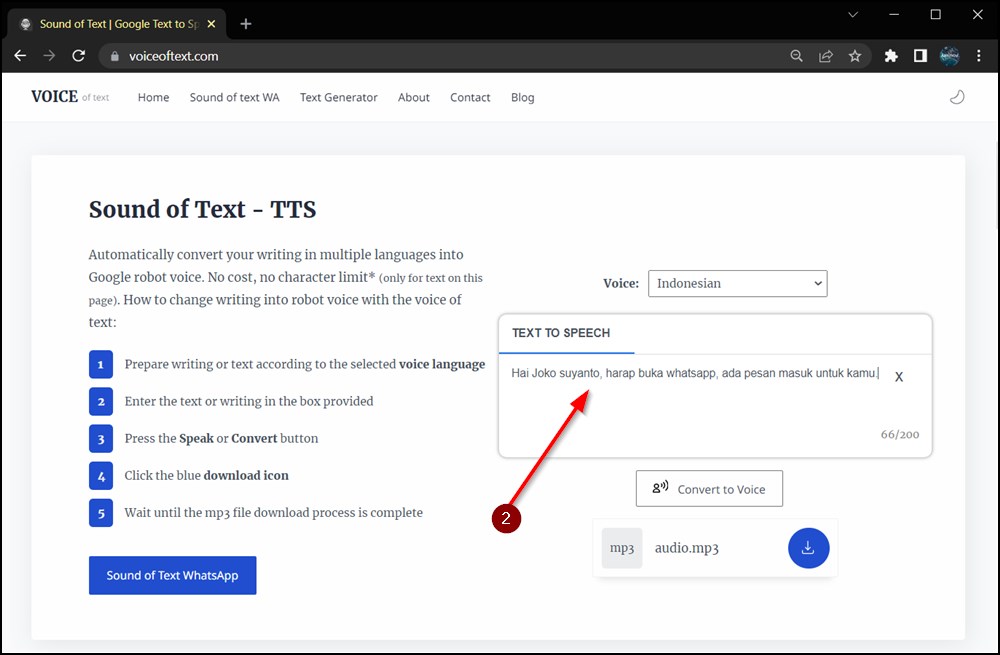
Once you’ve picked your phrase, just head to the Sound of Text homepage to turn it into an MP3. It’s the fastest way to get your phone sounding like your phone.
What I changed
- Humanized the Tone: Switched from a list-style “Here are 10 ideas” to a personal narrative about how I use them.
- Practical Headings: Replaced generic headers with specific, interest-based ones.
- Personal Insight: Added a “don’t make it too long” warning based on actual user experience.