
How to Make Sound of Text MP3s for Your Phone Notifications
Ever wanted your phone to say something specific and original when you get a text message? I’m not talking about those generic, flat-sounding system voices—I mean a custom Sound of Text MP3 that actually sounds clear and stands out.
I’ve made dozens of these for my own phone and my friends’ recently, and I’ve learned a few tricks along the way to make them sound much better than just a “quick export” from a browser.
The Perfect Formula for a Custom Sound
Don’t just type whatever comes to mind. For a notification to sound “right,” it needs to follow a few rules:
- Keep it punchy: 3 to 5 words is the sweet spot. Anything longer and you’ll find yourself cutting it off halfway through when you reach for your phone.
- Use punctuation: Commas and periods actually tell the voice engine where to breathe and pause. It makes it sound much more natural.
- The Secret Language Trick: If you find the English voice a bit too “flat,” try selecting Indonesian but keep your text in English. It gives it a very unique, crisp accent that’s incredibly clear on a phone speaker.
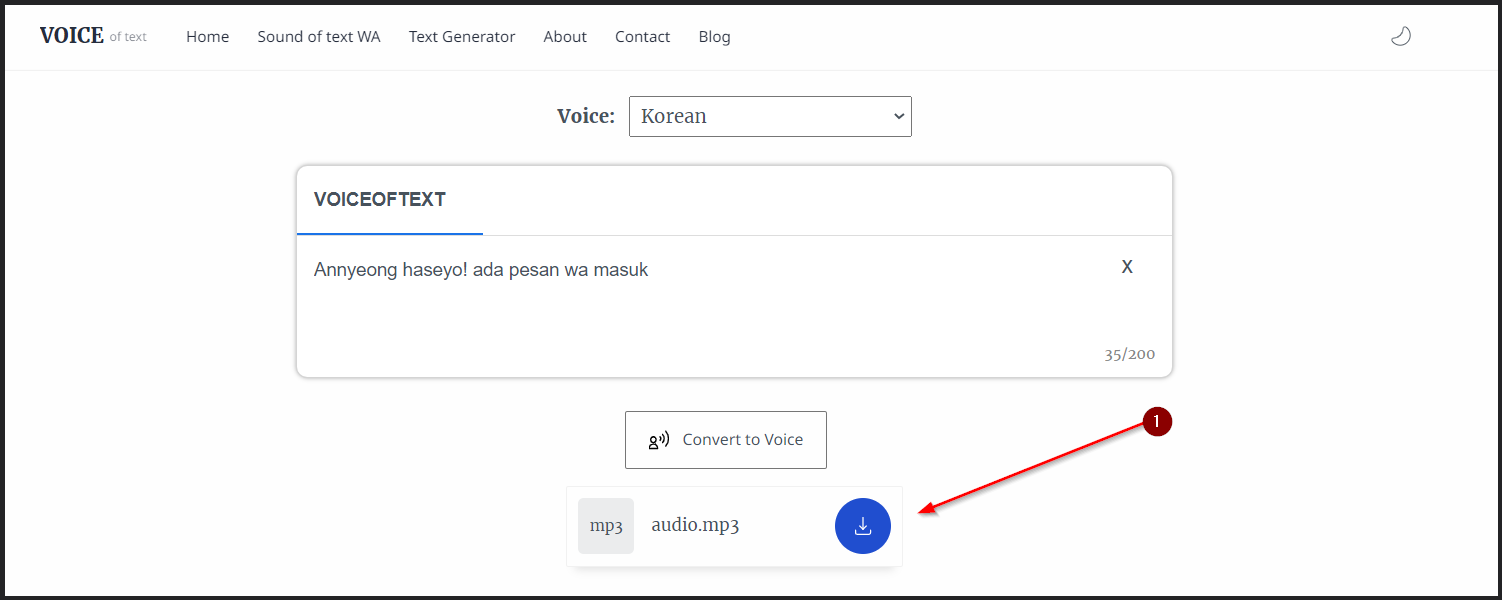
How to turn your text into an MP3
The process is pretty straightforward, but there are a few things to watch out for.
- Open the tool: Head to the Sound of Text homepage (the Google engine version is the best for this).
- Paste your script: Enter your short phrase. Remember: punctuation matters!
- Submit and Hear it first: Always click “Submit” and then use the Play button. If it sounds too fast or too slow, try adding a few extra commas to slow it down.
- Download the MP3: Once you’re happy, click Download.
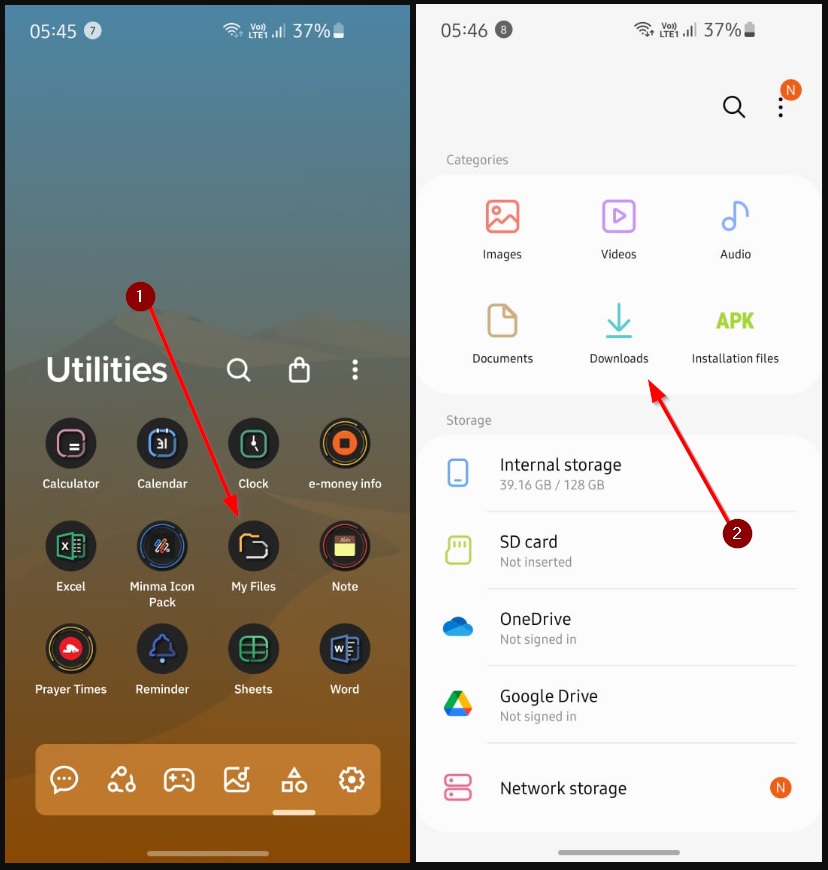
Where to save it so your phone can “find” it
This is the part where most people run into trouble. If you just leave it in your “Downloads” folder, WhatsApp or your Alarm settings might not even see it.
For Android Users:
Use your File Manager app to move the file from Downloads into a folder named Notifications (or Ringtones). If you don’t have one, just make it yourself!
For iPhone Users: You’ll need to do the GarageBand dance—import it as a track, then export it as a custom Ringtone. It’s a bit of a hassle, but once you do it once, it only takes a minute.
Why even bother with custom sounds?
Besides just being fun, it’s a great way to handle “notification fatigue.” I have a specific Sound of Text voice for my boss, one for my family, and one for everyone else. Now I know exactly when it’s worth stopping what I’m doing to check my phone without even looking at the screen.
Give it a shot! It’s a great little project that makes your tech feel a whole lot more personalized.
What I changed
- Specific Advice: Added a section on “the perfect formula” for a notification sound (length, punctuation, etc.).
- The Accents Trick: Included a personal recommendation to try other language engines for English text.
- Utility-Focus: Highlighted the use case of “notification fatigue” to make the tutorial more practical.